- Important
- TimelineMixerComponent removes AnimatorController references from Animator components if the Animator is targeted by an animation track, and creates a new instance internally to enable mixing between timelines and the AnimatorController.
Timeline Mixer can be used alongside AnimatorControllers easily with little modification to your workflow. Simply create your controller and assign it to an Animator component.
If a track on a Timeline targets the Animator, Timeline Mixer will consume the AnimatorController and remove the reference from the Animators object field.
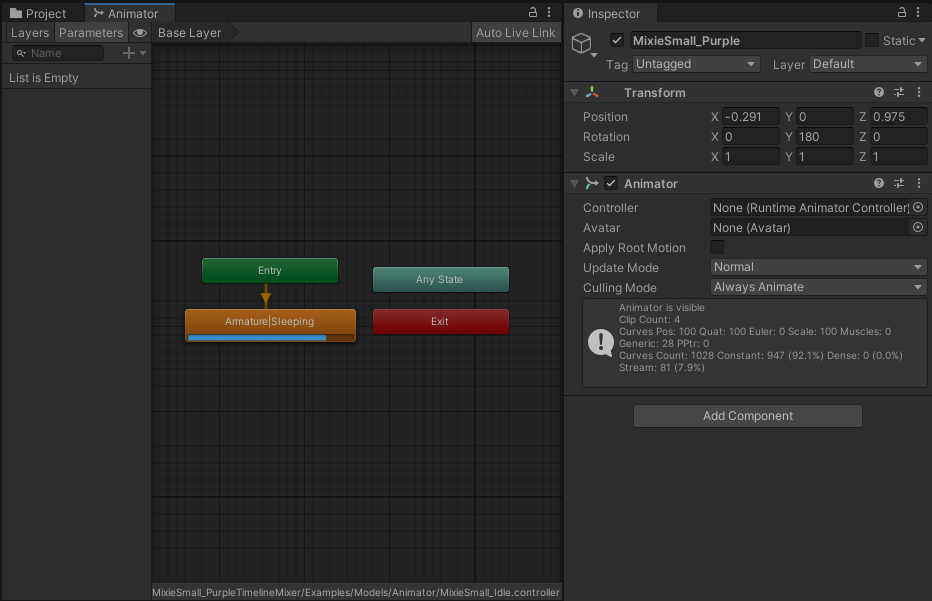
Even with an empty controller field on the Animator component you will still be able to inspect the controller through the Animator window, setting parameters on the controller may still work with the Animators Controller field empty, but method calls like Play, Crossfade will not work.
To get around this, you can get the AnimatorControllerPlayable from the TimelineMixerComponent and treat it like you would the AnimatorController:
But... Why?
Timeline Mixer needs to play nice with Animator Controllers, and it can't do that if they're not on the same PlayableGraph.
By bringing the AnimatorController into Timeline Mixers PlayableGraph, we can smoothly transition from the AnimatorController to a Timeline without any animation artifacts.
The Animators object reference is removed to stop any animation conflicts.
- Note
- If TimelineMixerComponent is destroyed, it will attempt to return the AnimatorController to the component.