Timeline Mixer provides three operating modes that define how timelines are evaluated and blended.
Each mode controls:
- How many timelines may be active simultaneously
- Whether animation balancing is applied

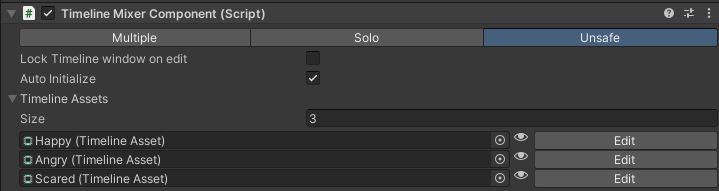
| Mode | Multiple Active Timelines | Animation Balancing | Visible in inspector | Intended Use |
|---|---|---|---|---|
| Multiple | Yes | Enabled | Yes | Layered blending or general sequencing |
| Solo | No | Enabled | Yes | State-style switching |
| Animation Unsafe | Yes | Disabled | When Active | Advanced / debugging use |
- Note
- The “Intended Use” column reflects common usage patterns, not strict limitations. Modes may be used in any workflow that fits your design.
Multiple Mode
Allows multiple timelines to be active and blended simultaneously. If animation tracks target the same object, Timeline Mixer automatically balances animation weights to prevent conflicts.
Solo Mode
Ensures that only one timeline remains active at a time.
Calling FadeIn on a timeline automatically triggers FadeOut on all other active timelines.
Animation Unsafe Mode
Allows multiple timelines to be active, but disables animation balancing.
When multiple animation tracks target the same object, no automatic weight correction is applied. This may result in unexpected and unpredictable blending behavior.
This mode is not exposed in the standard inspector and is intended for advanced or diagnostic use.
It can be accessed from the debug mode inspector, or by calling: